システムメトリックス株式会社
名古屋市中区丸の内 1-15-20 ie丸の内ビルディング 11F
Tel. 052-232-4040 / お電話による受付時間 平日 9:30-17:00(土日祝休)
© 2026 System Metrix Co., Ltd. All Rights Reserved.

Learn how to use AutoCAD dimensions to create accurate, readable drawings. Discover the 8 essential dimension types, unit settings, and pro drafting tips.
システムメトリックス

DWG を JWW へ図面変換するなら DARE Auto。ペーパー空間の図面も一括で JWW 形式へ出力できます。
DARE Store

Master the AutoCAD Offset command to create parallel lines, concentric circles, and precise geometry quickly. Learn tips for multiple offsets and distance settings.
システムメトリックス

Learn how to use the Trim command in AutoCAD to quickly clean up intersecting lines. Master basic steps, the Fence option, and time-saving keyboard shortcuts.
システムメトリックス

Learn how to chamfer in AutoCAD to quickly bevel edges. Master distance, angle, and polyline options with this step-by-step CAD tutorial to speed up your workflow.
システムメトリックス

Learn AutoCAD Aliases and Boost Your Drafting Speed!
システムメトリックス

2D・3D・ラスタ変換をひとつに。DWG・DXF・JWW・SXF・PDF をブラウザで相互変換、Windows 版なら最大 99 枚をオフラインで一括変換できます。
DARE Store


![Free CAD drawing conversion for everyone! What exactly is DARE? [Supports DWG, JWW, and many other formats]](/en/images/recommendService/dare.jpg)
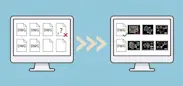
![[Batch convert up to 99 drawings] For large-scale CAD drawing conversion of DWG, DXF, JWW, and PDF, use DARE Converter!](/en/images/recommendService/dareConverter.jpg)
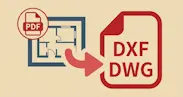
![[Solve it for free now!] How to convert DWG to DXF without using AutoCAD](/en/images/recommendService/dareJw.jpg)