Created Date:2021.08.16
Updated Date:2026.04.13
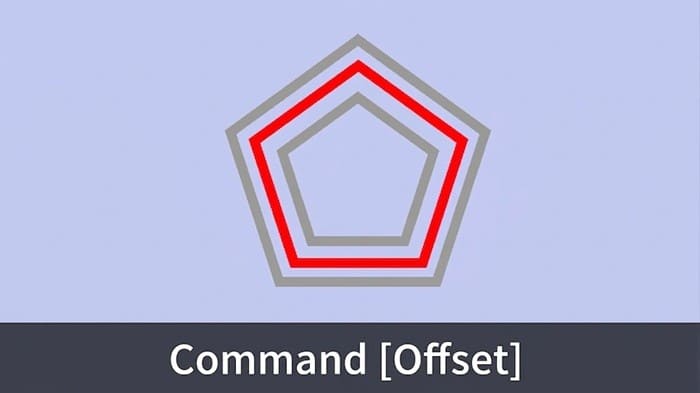
Efficiency in AutoCAD often comes down to how well you use the "Modify" tools. Instead of drawing every line from scratch, professional engineers rely on the OFFSET command to generate parallel copies of objects at specific distances.
Whether you are creating wall thicknesses, concentric circles, or parallel piping routes, the Offset command is your go-to tool for accuracy and speed.

実は、AutoCAD は標準で JWW 形式に対応していません。
DARE ONE なら、JWW から DWG / DXF への高精度な変換がブラウザ上で今すぐ無料で完了!
拡張子の互換性に悩まず、スムーズに作図作業へ移りましょう。

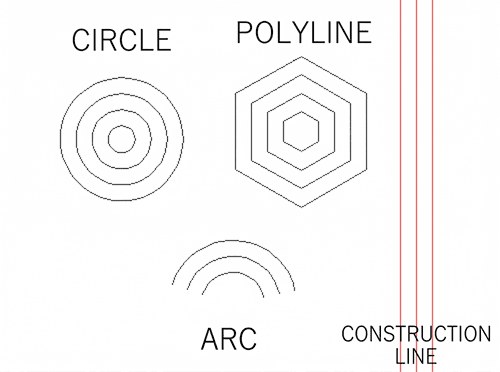
The OFFSET command creates a new object at a specified distance from a selected object or through a specified point. It works on lines, arcs, circles, and 2D polylines.
There are two ways to start the Offset command.
Quick Launch Options:
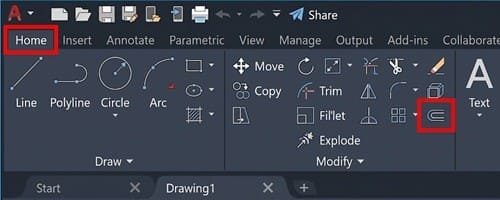
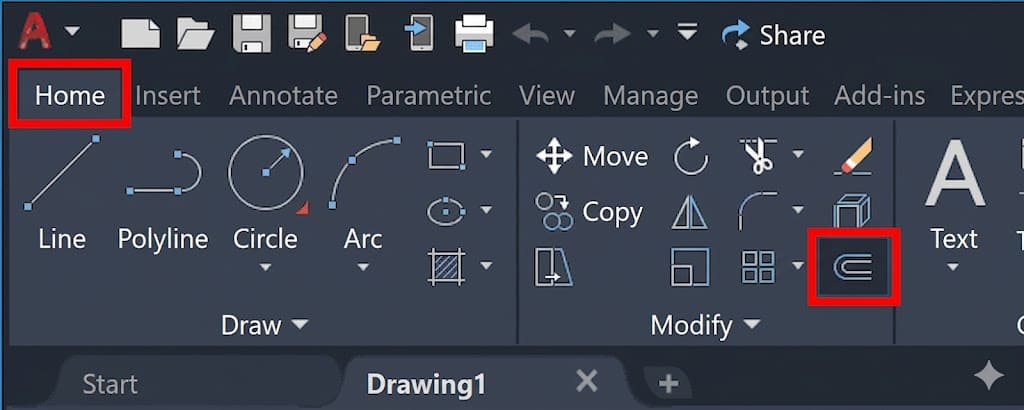
Ribbon: Home Tab > Modify Panel > Offset icon.
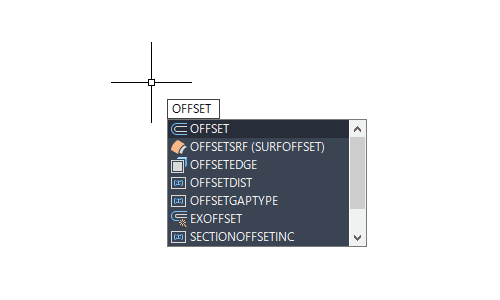
Keyboard Shortcut: Type OFFSET (or just O) and press Enter.
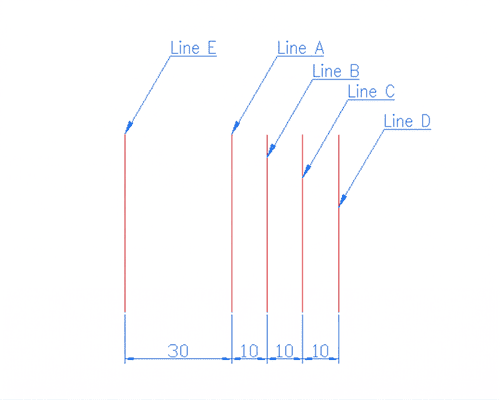
The process follows a simple 3-step logic: Distance → Object → Side.
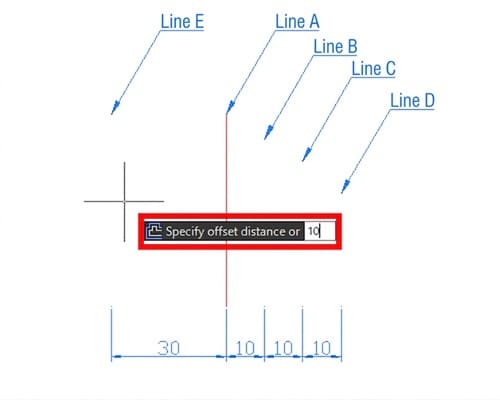
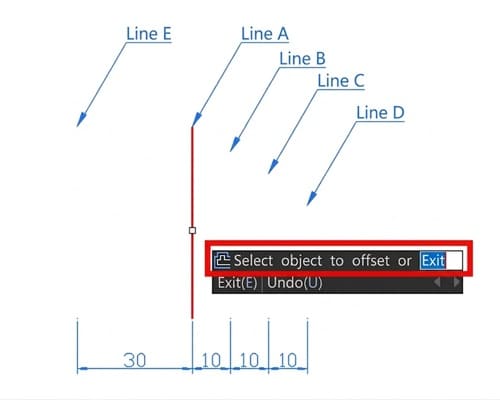
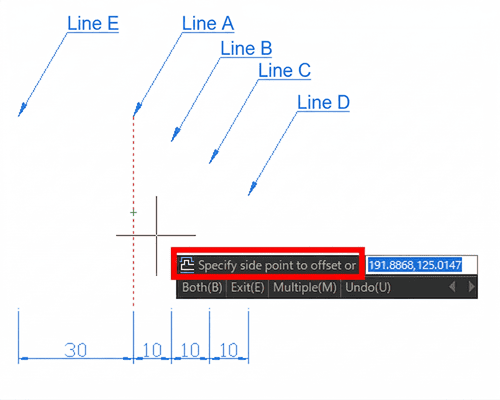
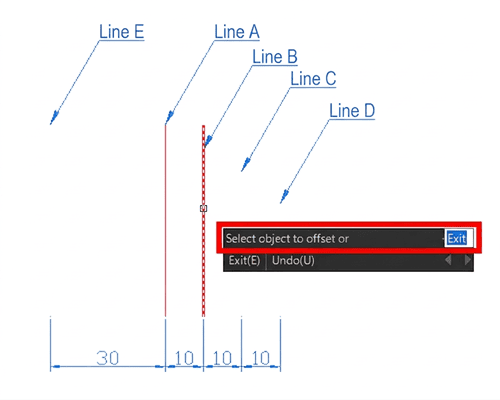
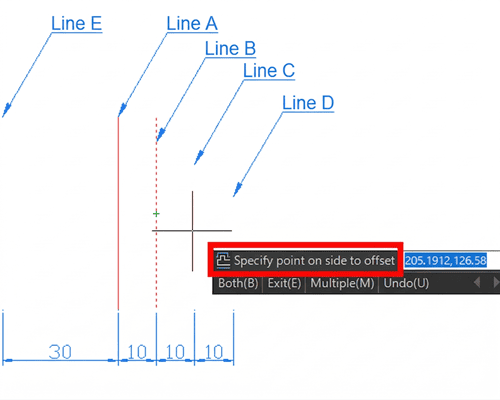
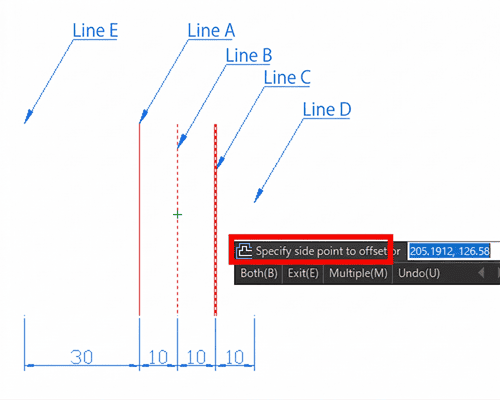
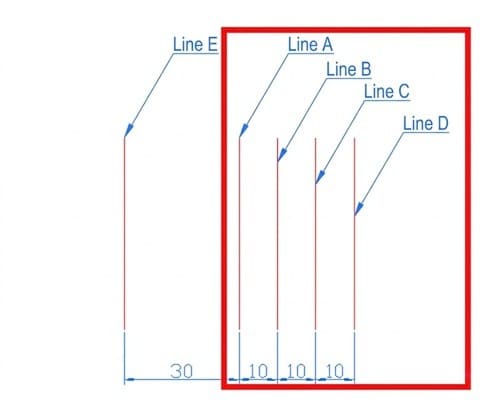
You have successfully created equally spaced offsets.
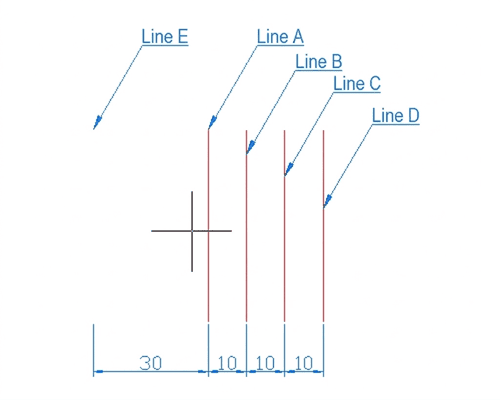
In addition to individual lines, you can select a polyline to offset the entire shape at once.
If your next offset requires a different measurement, you must reset the distance:
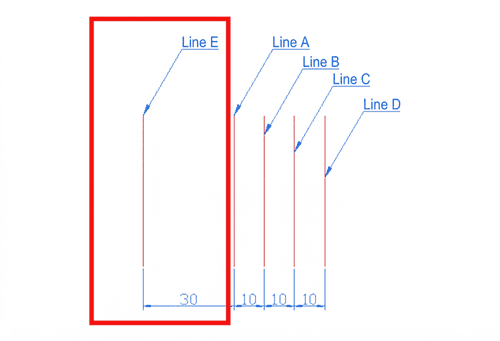
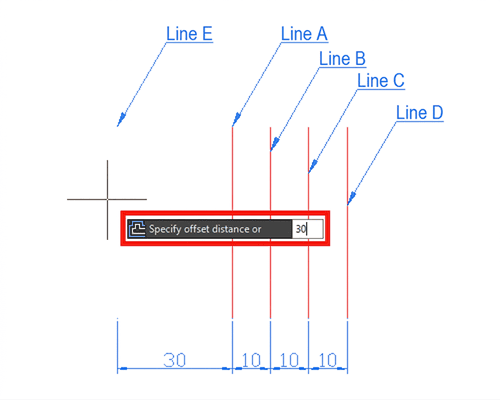
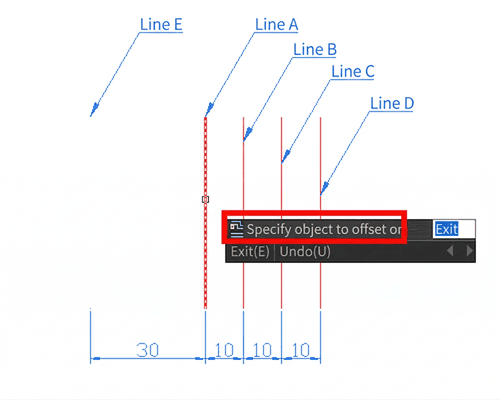
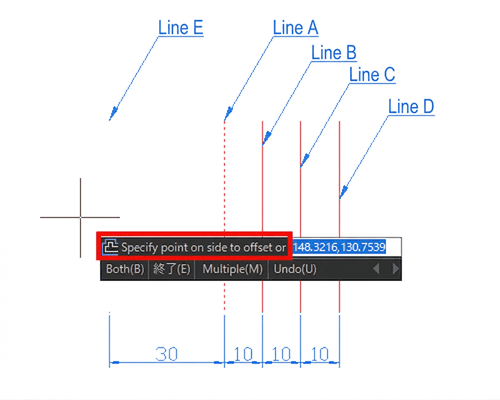
You have successfully created an offset at a different distance.
The Offset command isn't just for straight lines.
Circles: Offsetting a circle creates a concentric circle.
Drafting accurately in AutoCAD is the first step; sharing your work without losing data is the next. If you are struggling with version compatibility or need to convert high-precision DWG files to DXF or PDF without losing layer integrity, try DARE.
DARE provides professional-grade CAD conversion tools in the cloud. No software installation is required—just fast, accurate, and secure conversions for global engineering standards.
Try DARE’s Free CAD Conversion Tools Today.
This article was created using a free trial of AutoCAD.
For instructions on how to install the free AutoCAD trial, please see below