logo
ホームよくある質問DARE ストアDARE 製品サイトへ

DARE - CAD File Conversion Service

Save AutoCAD layout space as JWW [AutoCAD Drawing Conversion Software]
For AutoCAD Users

Save AutoCAD layout space as JWW [AutoCAD Drawing Conversion Software]

AutoCAD has two workspaces: model space and layout (paper space). When saving in DWG format, drawings from both spaces can be saved. However, DXF and JWW do not have model/layout spaces, so typically only the model space drawing is saved.


[Free] Convert raster images to CAD data in just one step.
For Raster PDF

[Free] Convert raster images to CAD data in just one step.

DARE Converter vectorizes raster drawings with high-precision tracing technology. Simply upload an image for automatic analysis and tracing, allowing anyone to easily convert raster images to vector format. The converted vector file can be downloaded in DXF format and edited or modified using CAD software.

[Free] View DWG, JWW, and 3D drawings easily on your smartphone or tablet! [DARE BOX Mobile recommended]
For Mobile Users

[Free] View DWG, JWW, and 3D drawings easily on your smartphone or tablet! [DARE BOX Mobile recommended]

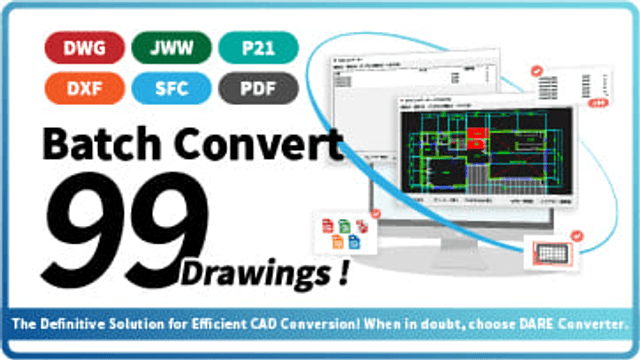
Want to convert DWG to JWW for editing in Jw_cad. /Need to convert JWW to DWG for sending to clients. /Want to convert Jw_cad drawings to PDF for universal viewing.

Home
  • Terms of service
  • Privacy policy
  • FAQ
  • Contact
  • Operating company

システムメトリックス株式会社

名古屋市中区丸の内 1-15-20 ie丸の内ビルディング 11F

Tel. 052-232-4040 / お電話による受付時間 平日 9:30-17:00(土日祝休)

© 2026 System Metrix Co., Ltd. All Rights Reserved.

ホーム
/
AutoCAD

/

How to use AutoCAD

Linetype

image

How to use AutoCAD

Learning AutoCAD

  • How to Study

Getting Started with AutoCAD

  • What is AutoCAD ?
  • Install

AutoCAD Basic Operations

  • Commands
  • Line
  • Linetype
  • Lineweight
  • Polyline
  • Fill
  • Hatching
  • Text
  • Dimension
  • Scale
  • Layout
  • Block

Output & Conversion

  • PDF
  • File Format & Conversion
  • Excel
  • Print

How to use CAD

image
CAD starting from scratch の使い方
この CAD 講座を見る
image
DARE の使い方
この CAD 講座を見る
image
Fusion 360 の使い方
この CAD 講座を見る
image
IJCAD の使い方
この CAD 講座を見る
image
Jw_cad の使い方
この CAD 講座を見る
image
AutoCAD の使い方
この CAD 講座を見る

Introduction to DARE's Popular Services

Recent Articles

image
How to Preview DWG Thumbnails in Dropbox & Box の使い方
image
How to Convert Scanned Drawings to Editable DWG Files (Without Retracing) の使い方
image
How to Manage CAD Drawing Files: Ditch the Excel Logs の使い方
image
Save AutoCAD layout space as JWW [AutoCAD Drawing Conversion Software]
For AutoCAD Users

Save AutoCAD layout space as JWW [AutoCAD Drawing Conversion Software]

AutoCAD has two workspaces: model space and layout (paper space). When saving in DWG format, drawings from both spaces can be saved. However, DXF and JWW do not have model/layout spaces, so typically only the model space drawing is saved.

[Free] Convert raster images to CAD data in just one step.
For Raster PDF

[Free] Convert raster images to CAD data in just one step.

DARE Converter vectorizes raster drawings with high-precision tracing technology. Simply upload an image for automatic analysis and tracing, allowing anyone to easily convert raster images to vector format. The converted vector file can be downloaded in DXF format and edited or modified using CAD software.

[Free] View DWG, JWW, and 3D drawings easily on your smartphone or tablet! [DARE BOX Mobile recommended]
For Mobile Users

[Free] View DWG, JWW, and 3D drawings easily on your smartphone or tablet! [DARE BOX Mobile recommended]

Want to convert DWG to JWW for editing in Jw_cad. /Need to convert JWW to DWG for sending to clients. /Want to convert Jw_cad drawings to PDF for universal viewing.