Created Date:2025.07.03
Updated Date:2025.10.02

For everyone working in the construction and design industries, have you ever had experiences like these?
The app that solves these problems with just one smartphone is the free drawing viewer app "DARE BOX Mobile" (iOS Version) (Android Version).
With DARE BOX Mobile, you can view, manage, and convert (※paid) various CAD drawings like DWG, JWW, IGES, JT, and PDF all in one place, even on your smartphone or tablet. It's an app dedicated to CAD drawing tasks.

DARE はブラウザだけで DWG・DXF・JWW・PDF などを相互変換・バージョンダウンができる無料サービスです。
ソフトのインストールも、面倒な待ち時間も不要。今すぐ変換して業務を再開しましょう!
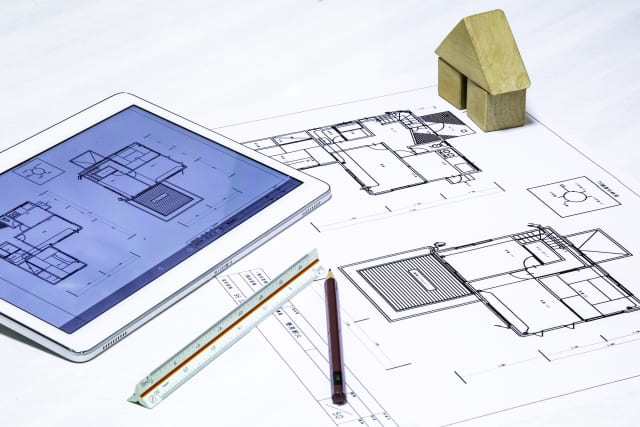
Many drawings are data files created and edited with specialized CAD software, such as in DWG (AutoCAD) or JWW (Jw_cad) format.
Unlike PDF or image files, these have the characteristic of not displaying correctly without a dedicated viewer.
Especially on construction and design sites, it's common for multiple drawing formats to be mixed, like this:
If you need to switch between apps for each drawing format, work efficiency drops significantly.
Furthermore, when environmental factors are added, such as not being able to use a PC on-site, you can lose time on tasks that should just be "viewing".
DARE BOX Mobile is a smartphone-compatible multi-drawing viewer that eliminates all these hassles.
Paper drawings are still used on-site, but viewing on smartphones and tablets is also becoming mainstream.
We've compared the advantages and disadvantages of each.
| Comparison Item | Paper Drawings | Smartphone/Tablet Drawings |
|---|---|---|
| Portability | Bulky to carry, requires many drawings | All drawings can be stored on one smartphone |
| Viewability | Large and easy to see at a glance, but weak against wind/dirt | Easy to see details by zooming, safe for outdoor use |
| Update Reflection | Needs reprinting, hard to know if it's the latest version | Always displays the latest drawing with cloud integration |
| Ease of Sharing | Can't be shown unless you're there in person | Can be shared instantly via email or cloud |
| Cost | Costs for printing, carrying, and storage | App is free, many cloud options |
| In Case of Trouble | Risks of loss, damage, missing drawings, etc. | Can be checked instantly anywhere with a smartphone |
If you prioritize confirmation speed, information sharing, and manageability, mobile drawing viewing is overwhelmingly more efficient!
By using a smartphone app like DARE BOX Mobile, you can streamline on-site work while covering the weaknesses of paper drawings.
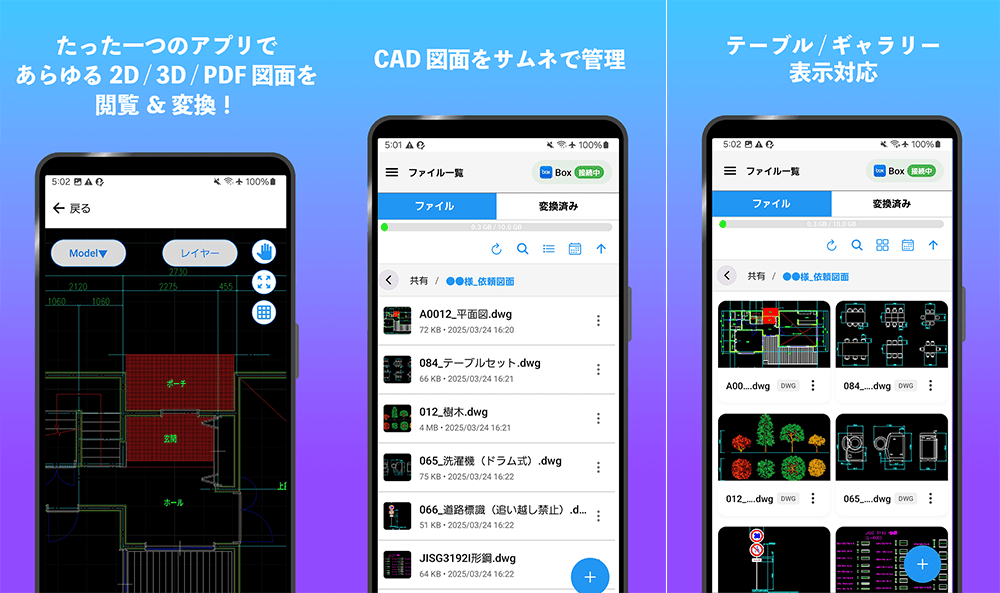
DARE BOX Mobile supports the main file formats used in architectural, civil engineering, and mechanical CAD !
| Supported Formats | Example Use |
|---|---|
| JWW | Architectural drawings (Jw_cad) |
| DWG | AutoCAD format |
| DXF | Intermediate format between CAD programs |
| SXF(SFC/P21) | Public works drawings for government agencies (electronic delivery) |
| General-purpose drawing distribution | |
| IGES,JT,SAT,STP... | 3D CAD models |
Complex linetypes, layers, and text information are reproduced accurately, allowing you to check drawings on your smartphone as they are.
Of course, zooming, shrinking, and swiping are smooth, and dimensions and notes are displayed clearly! No matter how detailed the drawing, you can view it without losing any detail.
The biggest feature of DARE BOX Mobile is that it can be used in conjunction with cloud storage services like Box and Dropbox.
By linking with the cloud service you are currently using, you can achieve seamless work, such as immediately checking a drawing on-site that was just revised in the office.
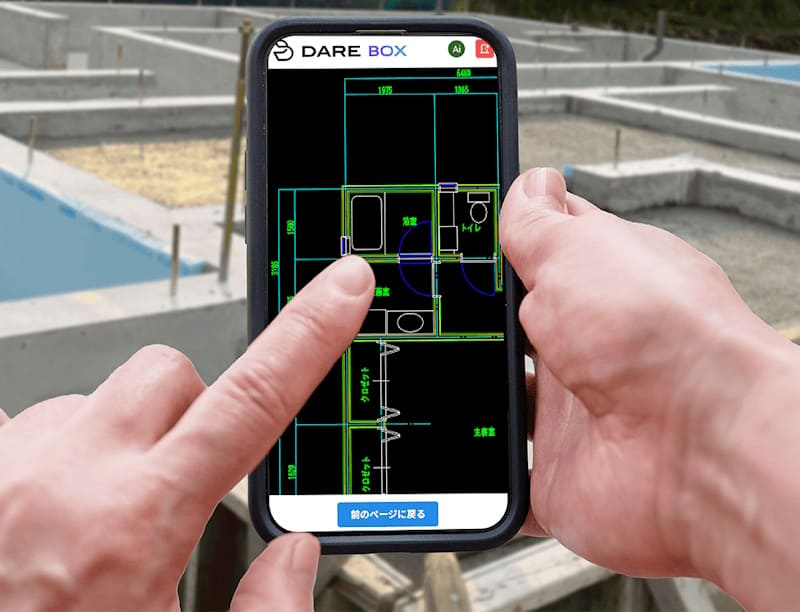
Site supervisors and craftspeople frequently need to check drawings during construction.
Conventional Problems:
DARE BOX Mobile's Solution:

For sales representatives of construction companies and design firms, showing drawings during proposals to clients is crucial.
Benefits of Use:
By making effective use of travel time, overall work efficiency improves.
Specific Use Cases:
You can also efficiently check the construction progress against the drawings.
Main Use Cases:

Main file formats supported by DARE BOX Mobile:
| File Format | Description |
|---|---|
| JWW | Jw_cad file - The most frequently used format for architectural drawings |
| DWG | Standard file format for AutoCAD |
| DXF | Data exchange format between CAD programs |
| IGES / JT / SAT / STEP | 3D CAD data formats (supports industrial design and mold drawings) |
| General-purpose format for distributing/viewing drawings. Hard to manage with a smartphone's default explorer | |
| Image Files | Can also view drawing capture images like JPEG, PNG, etc. |
Support for other CAD-related formats is in progress! For details, please check DARE BOX's Supported Extensions

Integration with Box and Dropbox provides the following benefits:
※ The above are all features of the cloud storage side.
※ Dropbox cannot be used with team accounts that can specify access permissions. A personal plan account is required.
Free plans for Box and Dropbox can also be linked with DARE BOX.
The user interface, optimized for smartphones, allows for the following operations with ease:

Achieves display quality equivalent to CAD:

First, install DARE BOX Mobile on your smartphone.。
< Coming Soon! >

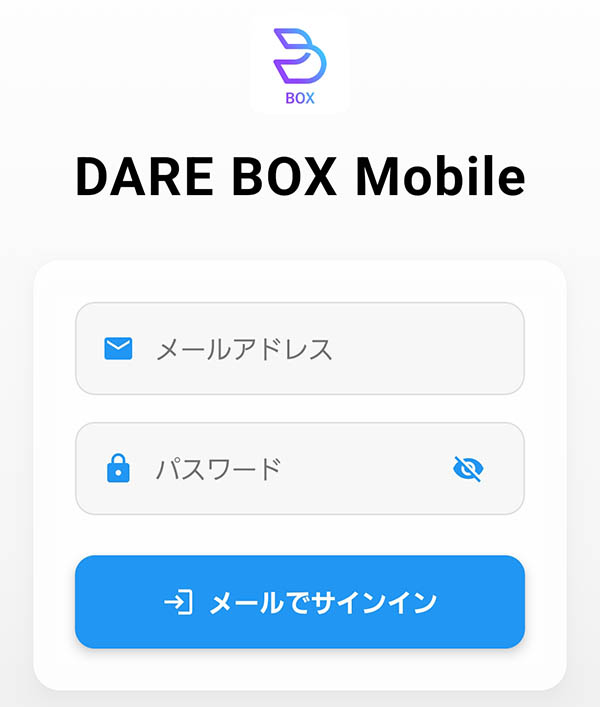
Once you launch the app, log in with your DARE account.
If you don't have a DARE account yet, create a free account.
The only information required for the account is your email address. No phone number or credit card number is needed.
You can also link your Google or Microsoft account for registration.
Click here to create a free DARE account
DARE account creation takes only 1 minute! You can start using it right away.
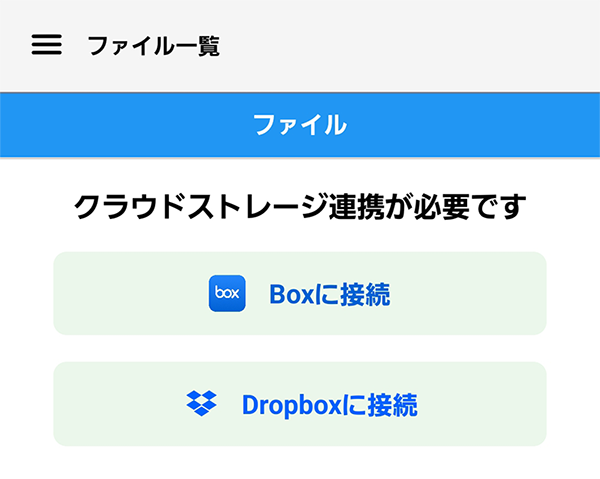
Link with your registered cloud storage service (Box or Dropbox).
If you do not have a Box or Dropbox account, create a free account.
Once your account registration is complete, let's try opening a drawing in DARE BOX Mobile right away.
Drawings can be uploaded from the browser version of DARE BOX or from DARE BOX Mobile.
DARE BOX Mobile is a free app that meets the on-site needs of wanting to "see drawings right when you want to check them" and "view various formats of CAD drawings."
Handling CAD drawings on your smartphone leads to more efficient confirmation work, paperless operations, and enhanced information sharing.
All of these features are available for free.
For iPhone/iPad users
For Android users

Why not experience a new style of drawing management and viewing on your smartphone with DARE BOX Mobile?
Unlike expensive CAD software, installing and using the basic functions of this smartphone app is free! If it's hard to use or lacks features, just uninstall it.
Install DARE BOX Mobile from your smartphone and experience the convenience of viewing drawings on your phone!