Created Date:2026.04.27
Updated Date:2026.04.28
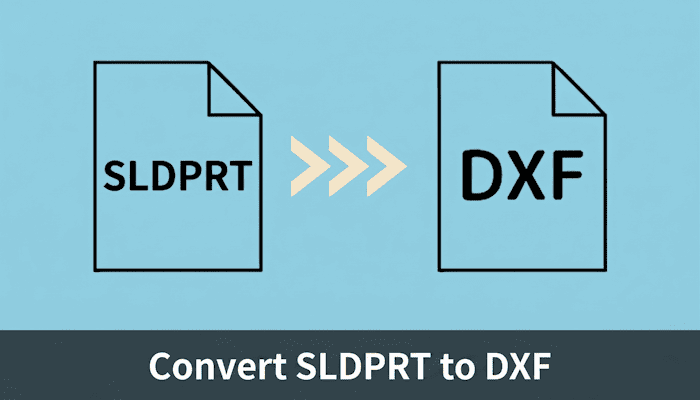
Got an SLDPRT file but no SolidWorks license? You're not alone.
Engineers and manufacturers frequently receive SolidWorks part files (.sldprt) from clients or colleagues — only to hit a wall when they need a 2D DXF for laser cutting, CNC machining, or importing into AutoCAD. SolidWorks licenses are expensive and rarely available outside of dedicated design teams.
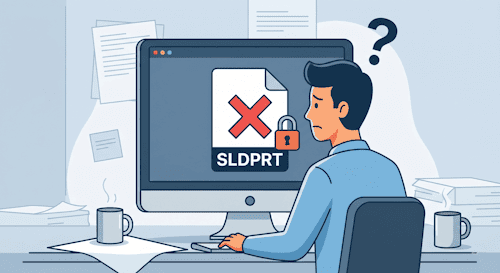
The good news: you don't need SolidWorks to get a clean DXF.
DARE is a browser-based CAD converter that handles SLDPRT → DXF conversion in three steps — no installation, no license, no friction.

「取引先が2D CADしか持っていない…」そんな時も焦る必要はありません。
DARE の 3D 変換サービスなら、STEP・IGES・Parasolid などの主要3D形式を、ブラウザだけでサクッと 2D の DXF / DWG に変換可能!
ソフトの追加インストール不要で、今すぐスムーズにデータ共有が完了します。

If you or a colleague have SolidWorks installed, exporting to DXF is straightforward:
.sldprt file in SolidWorksThis method gives you the most control over output geometry. However, it requires an active SolidWorks license — which rules it out for most non-design teams, Mac users, or anyone working in the field.
If that's your situation, Method 2 is the faster path.
"Don't have SolidWorks on hand?" "Working on a Mac?" "Need a quick conversion on the go from your phone or tablet?" In these cases, we highly recommend the 2D/3D CAD data conversion service, DARE.
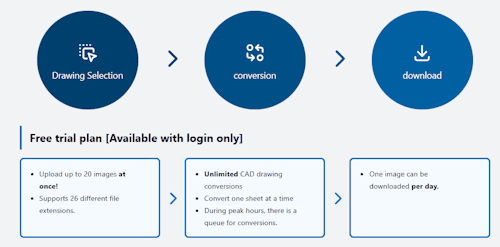
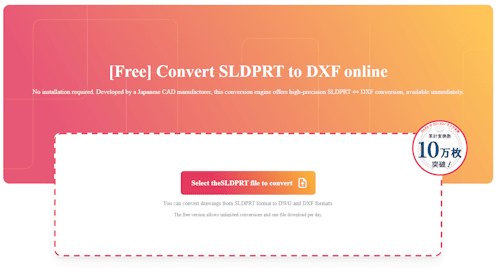
Navigate to the DARE SLDPRT → DXF converter page from any device. DARE runs entirely in the browser with no software to install — compatible with Windows, macOS, Android, and iOS.
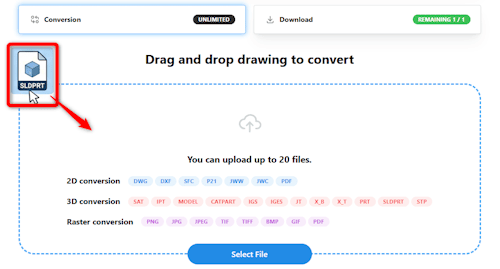
Drag and drop your .sldprt file onto the upload area, or click to browse. DARE supports batch conversion of up to 20 files at once.
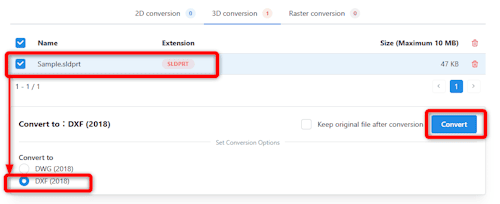
Select DXF as the output format and run the conversion. Once processing is complete, preview the result in the built-in viewer to verify geometry before downloading — a useful step if you're sending files to a laser cutter or CNC machine where dimensional accuracy matters.
Non-design staff — sales, procurement, shop floor — can convert files independently on their own devices. No need to route every conversion through a licensed workstation.
DARE is a cloud service. There's nothing to install or maintain. Whether you're on a Windows desktop, MacBook, iPad, or Android phone, the workflow is identical.
When you receive an SLDPRT and need a DXF, converting it in-house removes the need to ask the sender to re-export in a different format — saving turnaround time on every job.
A few practical checks worth running after any SLDPRT → DXF conversion:
If you need to convert SLDPRT to DXF and don't have SolidWorks:
DARE's free plan supports unlimited conversions with one file download per day. No credit card, no install — just upload and go.
Stop waiting on someone with a SolidWorks license. Get your DXF in under a minute.
Works on any device. No installation required.