Created Date:2026.04.27
Updated Date:2026.05.07
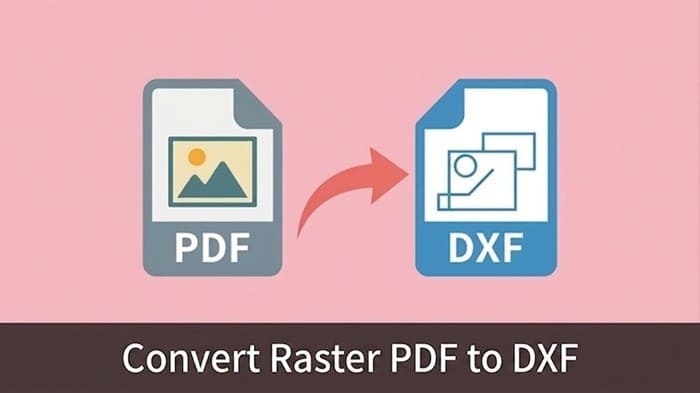
If you are tired of wasting hours manually tracing scanned drawings, the solution is simple: use a dedicated Raster-to-Vector (R2V) conversion engine.
Engineers and designers frequently need to edit scanned paper drawings in CAD. However, running a scanned PDF through a generic, free converter usually results in disaster: disjointed splines, exploded text blocks, and completely broken scaling. Ultimately, you spend more time fixing the broken geometry than you would have spent redrawing it from scratch.
You can eliminate this manual rework right now. DARE is a cloud-based CAD conversion platform designed specifically to solve these exact issues.
>> Convert Your PDF to DXF Now for Free
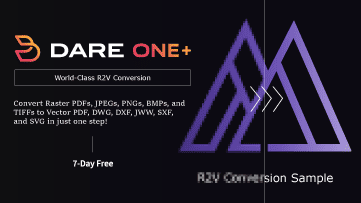
過去の紙図面をスキャンしただけの画像データでは、CADで修正・再利用ができません。
DARE Scanner は、AI技術を用いてラスター画像をベクターCADデータへ自動変換します。
手書きの図面資産をデジタル化し、すぐに現場で活用できる状態へアップデートしましょう。

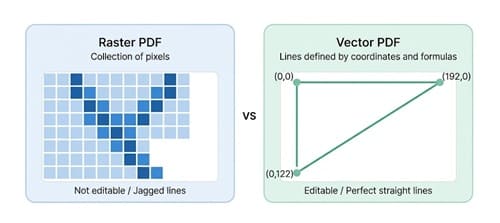
Before attempting a conversion, you must understand the two distinct types of PDFs:
The most common workflow failure occurs when users try to import a Raster PDF directly into their CAD environment, expecting it to behave like a Vector PDF.
To convert raster PDF to DXF, the software must perform a complex Raster-to-Vector translation. The engine has to analyze a sea of pixels and intelligently deduce, "This is a continuous polyline," or "This is a perfect circle."
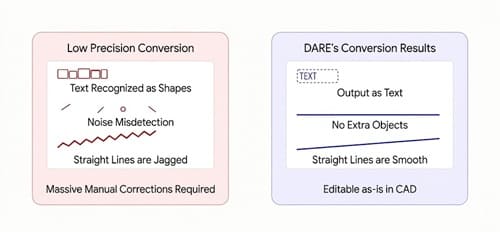
When you use a low-quality conversion tool, you encounter severe geometric errors:
To minimize post-conversion cleanup, you need to prepare your source files and choose the right technology. Follow these three steps to guarantee high-quality DXF outputs.
If your source image is blurry, no conversion engine can accurately detect the geometry. When scanning paper blueprints, set your scanner to a minimum of 300 DPI (400 to 600 DPI is highly recommended). Furthermore, scan in strict Black & White (Monochrome)—not grayscale or color. Forcing high contrast ensures sharp, distinct boundaries for your linework.
Creases, staple marks, and shadows on paper are the leading causes of false object generation in CAD. Generic tools will read a coffee stain as a complex hatch pattern. Before converting, use a standard image editor or PDF tool to quickly white out major smudges, hole punches, and borders. A clean source yields a clean DXF.
Generic OCR (Optical Character Recognition) software built for text documents will fail spectacularly on complex blueprints, dashed lines, and precise dimensions. The fastest route to accurate vectorization is using a dedicated engine deeply integrated with CAD architecture standards (like DWG/DXF protocols).
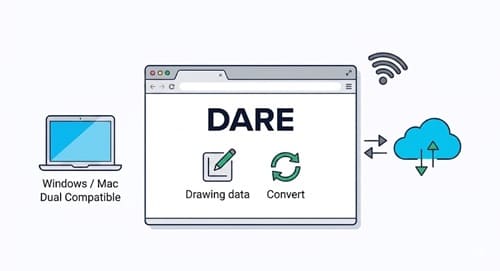
If you are struggling with poor translation fidelity, DARE provides an enterprise-grade, specialized platform for 2D CAD data conversion.
Powered by an industry-leading, AutoCAD-compatible engine, DARE flawlessly handles complex Raster PDFs that cause other tools to crash or output broken splines. Best of all, DARE is entirely browser-based. There is no heavy desktop software to install. Whether you are on a Windows PC or a Mac, working remotely or in the office, you can access powerful CAD conversion tools directly from your web browser.
One-Step Conversion via Upload
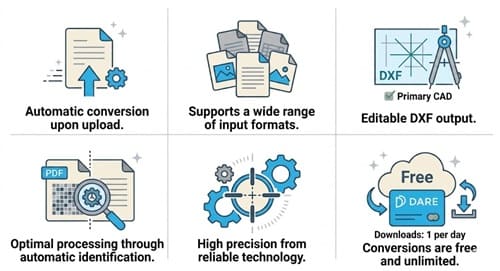
The only operation required is uploading your image. Once you click the convert button, DARE's proprietary Raster-to-Vector (R2V) engine automatically begins tracing, completing the processing of even complex drawings in just a few minutes.
Wide Range of Supported Input Formats
DARE supports Raster PDF, JPEG, JPG, PNG, BMP, GIF, TIFF, and TIF formats. Paper blueprints scanned with standard multifunction printers can be uploaded and converted exactly as they are.
Native DXF Output
Converted files can be downloaded directly in DXF format. These files are ready to be opened and edited in major CAD software such as AutoCAD, IJCAD, and others. Furthermore, by utilizing DARE's 2D conversion feature, you can also seamlessly convert your files into DWG format. (Note: References to Japan-specific formats like Jw_cad/JWW have been omitted to align with global standards).
Automatic Raster/Vector Identification (2D Conversion Feature)
DARE’s 2D conversion tool automatically detects whether your uploaded PDF is a raster or vector file and selects the optimal processing method (Beta version). If you are unsure what type of PDF you have, we recommend trying the 2D conversion feature first.
Equipped with a Dedicated R2V Engine
DARE’s raster conversion features a proprietary engine developed exclusively for Raster-to-Vector (R2V) translation, operating independently of the standard IJCAD conversion engine. Unlike generic image-to-text tools, this specialized engine is strictly optimized for tracing complex blueprints and engineering drawings, delivering unparalleled conversion accuracy.
Free and Unlimited Conversions
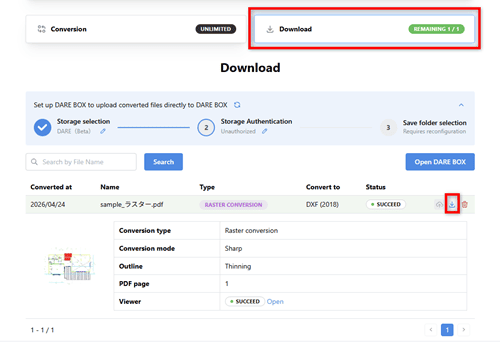
Simply by creating a free DARE account, you can perform an unlimited number of conversions. You can visually preview the converted geometry before deciding to download it. Users on the free tier are permitted one download per day.
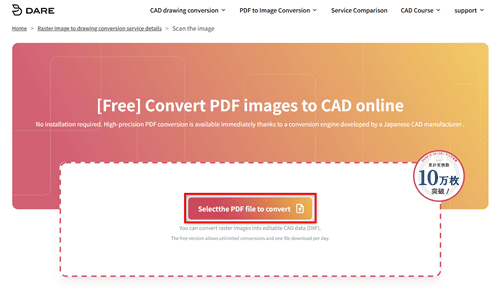
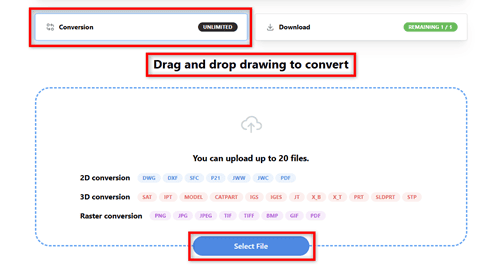
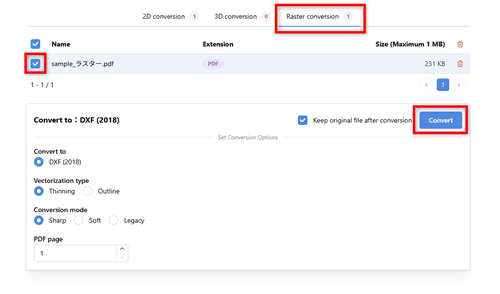
Manually digitizing scanned blueprints is a massive drain on your engineering hours and budget. While generic converters often produce chaotic, unusable files that require hours of cleanup, integrating a specialized tool transforms your workflow.
By preparing your scans properly and utilizing a dedicated R2V engine, you can drastically reduce drafting time and focus on what actually matters: design and engineering.
Experience the difference in accuracy today. Stop fighting with broken geometry and let DARE automate your drawing conversions.