Created Date:2026.04.20
Updated Date:2026.05.07
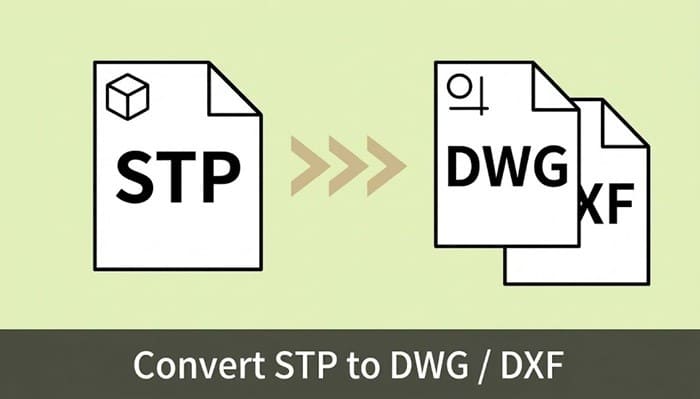
You just received an .stp or .step file from a manufacturing partner, but your 2D CAD software refuses to open it. This is a common bottleneck for engineers and designers. Because STEP is a universal 3D CAD format (ISO 10303) and DWG/DXF are 2D standards, their underlying data structures are fundamentally different.
You don't need to purchase or install heavy 3D modeling software just to export a file. The fastest, most efficient solution is to use a cloud-based conversion tool.
Here is how you can instantly convert your STEP files to DWG or DXF directly in your browser using DARE, a professional-grade online CAD converter.
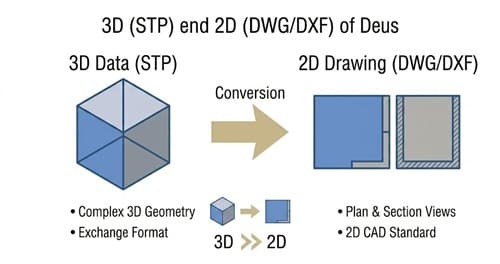

「取引先が2D CADしか持っていない…」そんな時も焦る必要はありません。
DARE の 3D 変換サービスなら、STEP・IGES・Parasolid などの主要3D形式を、ブラウザだけでサクッと 2D の DXF / DWG に変換可能!
ソフトの追加インストール不要で、今すぐスムーズにデータ共有が完了します。

With DARE, you can extract 2D base drawings from 3D STEP data without leaving your browser.
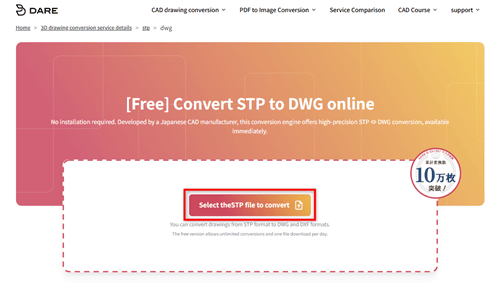
.stp or .step file into the upload area. If you are handling a large project, DARE supports batch uploading of up to 20 files at once.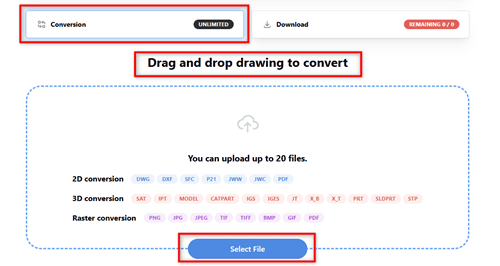
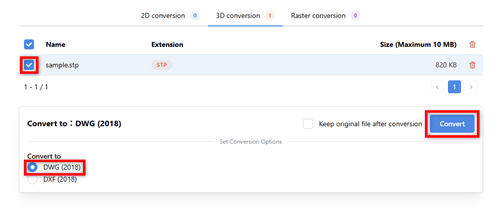
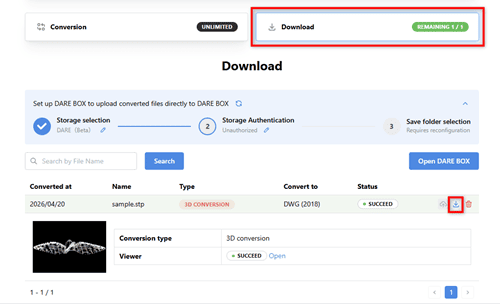
Free Tier Note: DARE offers unlimited conversions. Free users can download 1 file per day, while premium tiers are available for professionals requiring bulk downloads.
When handling proprietary design data, you need more than just a basic file converter. DARE is engineered for B2B workflows.
Q: My converted DWG is missing parts of the geometry. How do I fix this?
A: This usually happens if the original STEP file was exported as a "Surface" (a hollow shell) rather than a "Solid" (a filled 3D object). Ask the file originator to re-export the 3D model from their software (like SolidWorks or Inventor) and specifically check the box to "Export as Solid" before you try converting it again.
Q: Is there a difference between converting .stp and .step files?
A: No. Both extensions represent the exact same ISO 10303 international standard for 3D data exchange. DARE processes both flawlessly.
Q: Can I actually edit the resulting 2D drawing?
A: Yes. The conversion extracts the 3D data and flattens it into a highly accurate 2D base drawing. You can immediately open it in AutoCAD or any compatible software to add dimensions, annotations, and layer adjustments.
Time spent wrestling with incompatible file formats is time away from actual design and engineering. Get your DWG or DXF files instantly with DARE's secure, high-fidelity conversion engine.
Ready to get started?
>> Convert Your STEP to DWG for Free Now
>> Convert Your STEP to DXF for Free Now