Created Date:2021.08.19
Updated Date:2026.04.13
Whether you are trying to resolve performance glitches, fix corrupted files, or prepare your machine for a fresh installation, a standard uninstallation often isn't enough. Leftover libraries and background applications can cause conflicts when you reinstall the software.
To achieve a clean removal, the method you use depends entirely on your software version. Here is how to completely uninstall AutoCAD from your Windows system, ensuring no leftover files disrupt your workflow.

実は、AutoCAD は標準で JWW 形式に対応していません。
DARE ONE なら、JWW から DWG / DXF への高精度な変換がブラウザ上で今すぐ無料で完了!
拡張子の互換性に悩まず、スムーズに作図作業へ移りましょう。

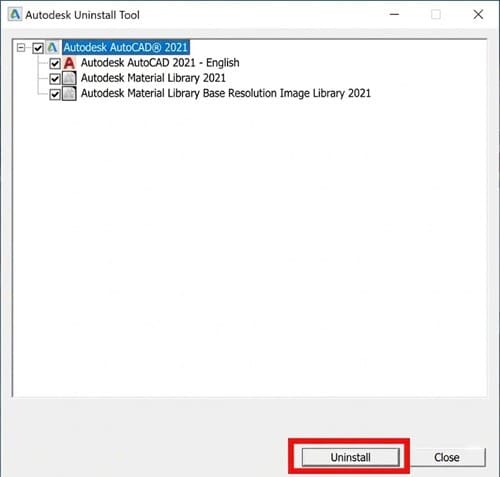
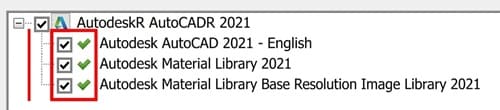
For AutoCAD 2021 and previous releases, Autodesk provides a dedicated Uninstall Tool. This is the most efficient method because it automatically detects and removes the core application alongside its associated Material Libraries in one go.
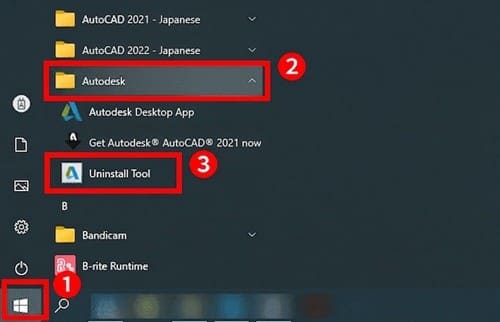
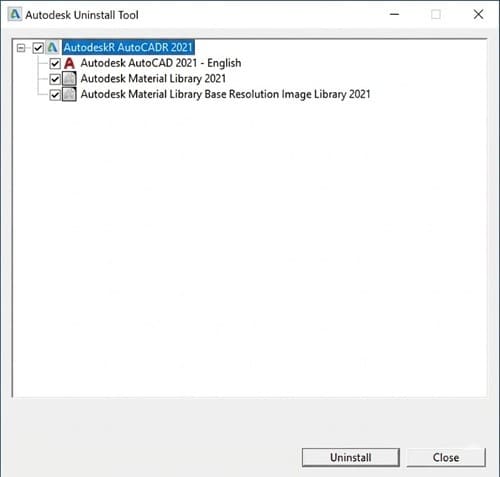
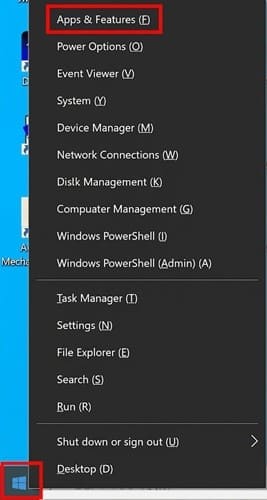
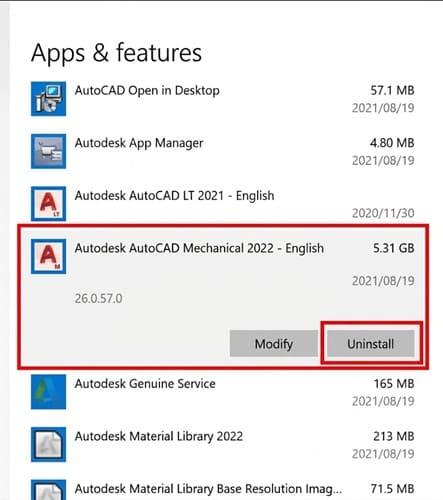
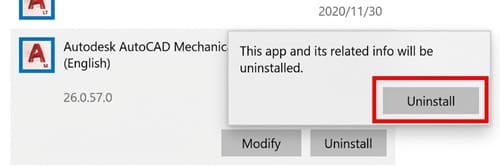
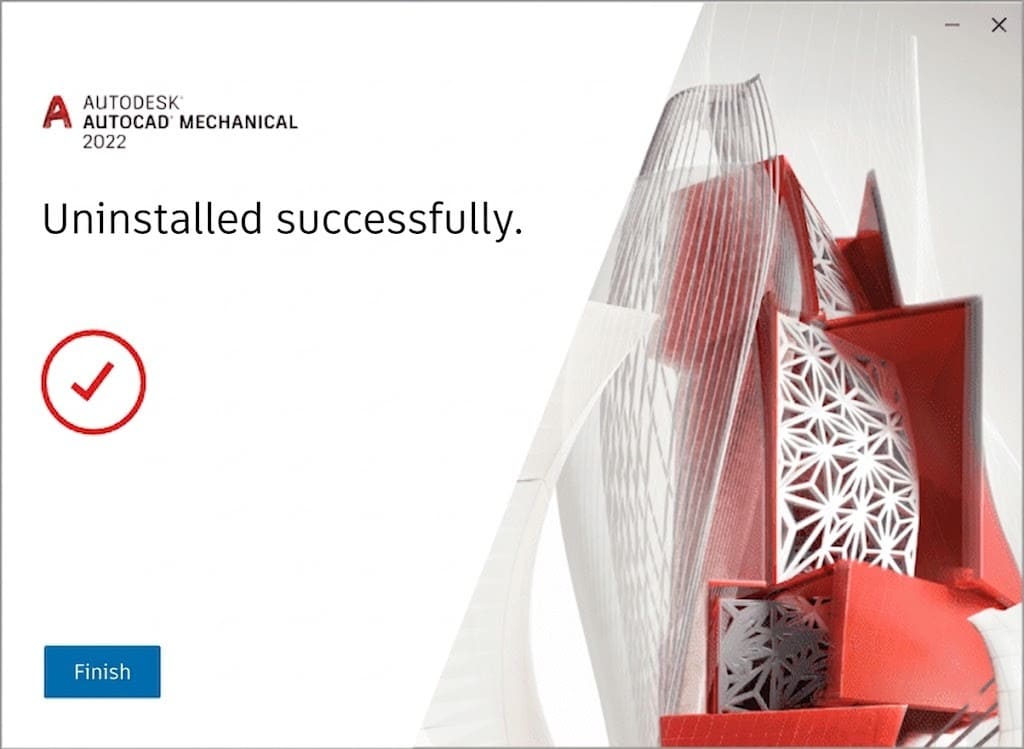
If you are using AutoCAD 2022 or a newer release, you will notice it is missing from the Autodesk Uninstall Tool. Autodesk deprecated the tool for newer versions, meaning you must rely on standard Windows features to remove the software.
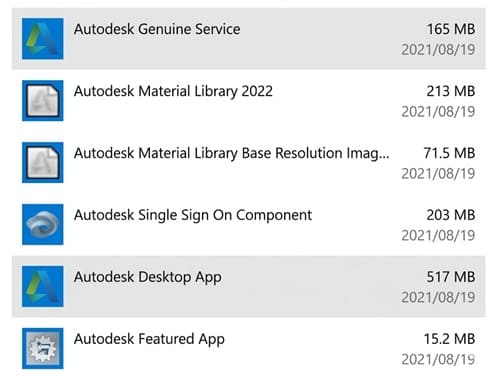
Critical Note: Because you are doing this manually, you must also actively search for and delete any related Material Libraries and background apps to achieve a truly clean uninstall.
Uninstalling heavy CAD software can leave you temporarily without a way to view or convert urgent drawing files. You don't need a massive desktop application just to handle quick file conversions.
T__ry DARE—your lightweight, cloud-based CAD solution.__ Whether you need to convert DWG to DXF, process PDFs to editable CAD formats, or ensure standard file compatibility across your engineering team, DARE handles it entirely in your browser.
Start your free CAD file conversion with DARE today and streamline your engineering workflow!