Created Date:2021.08.20
Updated Date:2026.04.01

Since June 2021, the full version of AutoCAD has been available at the price of AutoCAD LT, so perhaps many of you are considering adopting AutoCAD.
For those who have been unable to implement a large-scale adoption of AutoCAD, the No. 1 market share software in Japan, due to its expensive image, why not take this opportunity to consider it?
To decide whether to adopt AutoCAD, we recommend trying the free one-month trial version.
Even though it is a trial version, you can use all of its features, including the specialized toolsets.
In this article, we will explain in detail how to download the trial installer from Autodesk.
For installation after downloading, please refer to the article below.


実は、AutoCAD は標準で JWW 形式に対応していません。
DARE ONE なら、JWW から DWG / DXF への高精度な変換がブラウザ上で今すぐ無料で完了!
拡張子の互換性に悩まず、スムーズに作図作業へ移りましょう。

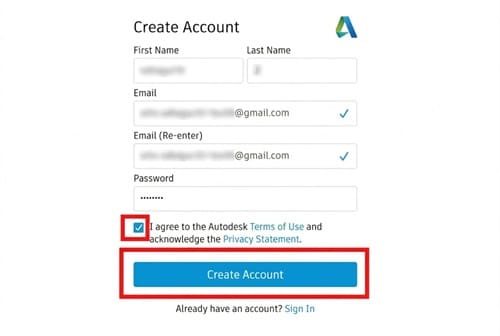
To get the AutoCAD trial version, you first need to create an Autodesk account.

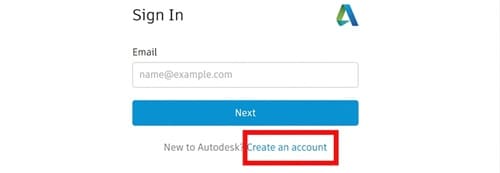
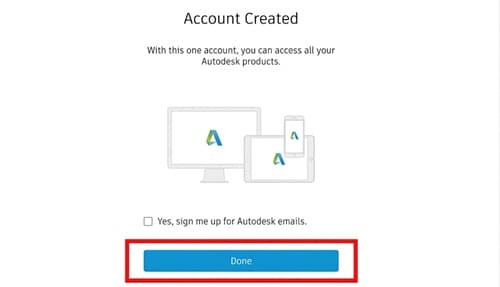

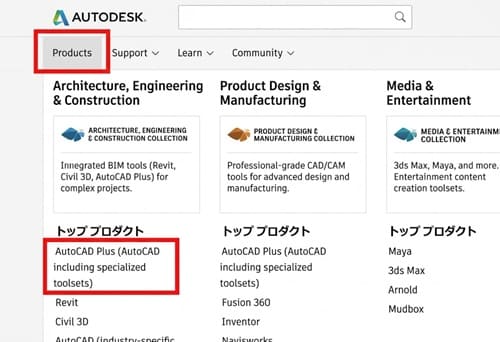
Now that you have created an Autodesk account, let's download the AutoCAD trial version.

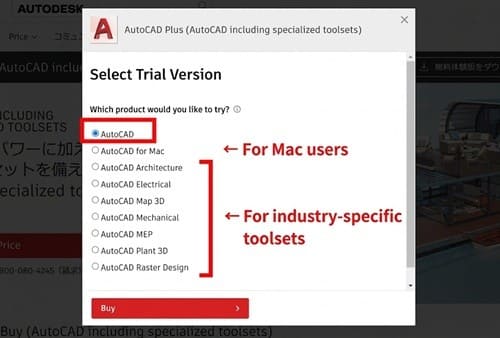
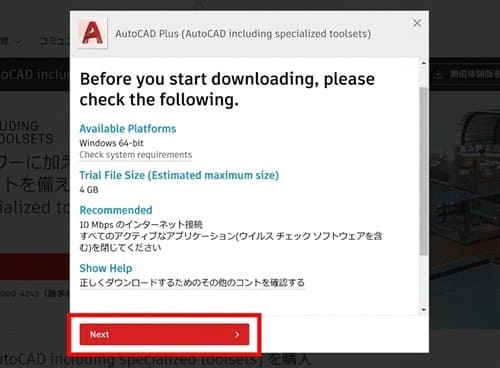
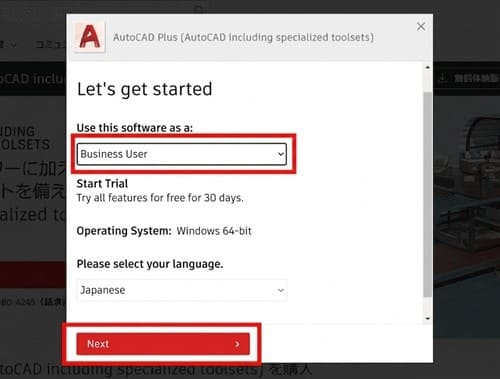
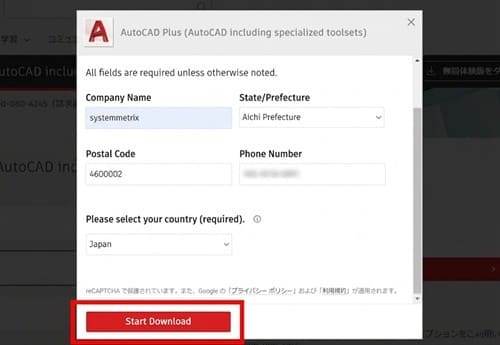
This completes the download of the AutoCAD trial version from the Autodesk website.
Next, you need to install AutoCAD on your machine. Please continue by referring to the article below.