Created Date:2026.06.24
Updated Date:2026.06.24
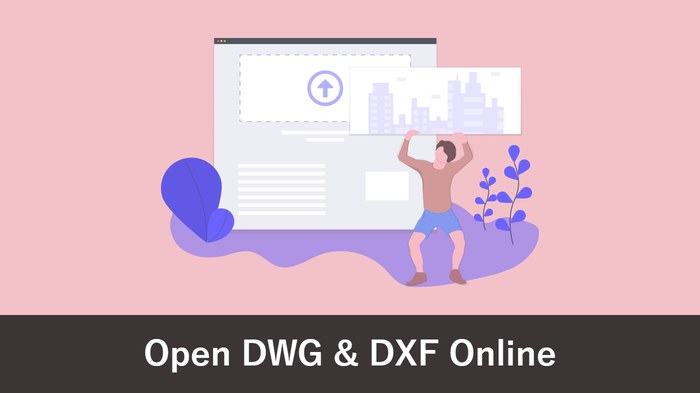
A client sends you a DWG or DXF file, but you don't have AutoCAD—and buying a full CAD package just to take a look feels like overkill. The good news: you can open and view DWG and DXF files for free, without AutoCAD.
This guide walks through your options by goal—starting with the fastest one, viewing online in your browser—plus free viewer software, editing in free CAD, and what to do when a file simply won't open.
実は、AutoCAD は標準で JWW 形式に対応していません。
DARE ONE なら、JWW から DWG / DXF への高精度な変換がブラウザ上で今すぐ無料で完了!
拡張子の互換性に悩まず、スムーズに作図作業へ移りましょう。
How you open a DWG (AutoCAD's native format) or DXF (the universal CAD exchange format) depends on what you want to do with it:
| Your goal | Best option |
|---|---|
| Just see it / print it, right now | Online viewer (in your browser) |
| See it without installing anything | Online viewer |
| Edit it too | Free CAD / compatible CAD |
| Use it in another CAD (e.g. Jw_cad) | Convert the format, then open |
Let's go through them.
If you just need to look at the drawing, the quickest route is an online viewer that runs entirely in your browser. You upload the DWG or DXF file and it renders on screen—no software, no account setup required.
This is the fastest way to answer "what's actually in this file?"—especially when you don't own AutoCAD and don't want to install anything.

If you'll be opening DWG files regularly on your own machine, a free viewer application is worth installing. The best-known is DWG TrueView, distributed free by Autodesk (the makers of AutoCAD).
If you need to edit, not just view, open the file in a CAD application:
Rule of thumb: just looking? Options 1–2. Editing and sending back? Option 3.
Even with the right tool, a file sometimes won't display. The two usual causes:
When "I need it in Jw_cad but the DWG won't open" or "the DXF came in garbled," the surest fix is to convert the format.
DARE is a browser-based CAD conversion service that converts between DWG, DXF, JWW, and more. It runs entirely online—no software to install—and vector formats convert for free. You can turn a DWG you received into JWW to open it in Jw_cad, or convert to PDF just to view it, solving "won't open / garbled" at the root.
Try DARE's Free CAD Converter and open any drawing, whatever CAD you have.