

システムメトリックス株式会社
名古屋市中区丸の内 1-15-20 ie丸の内ビルディング 11F
Tel. 052-232-4040 / お電話による受付時間 平日 9:30-17:00(土日祝休)
© 2026 System Metrix Co., Ltd. All Rights Reserved.
Created Date:2021.09.15
Updated Date:2026.04.10
Importing legacy 2D CAD data into a 3D environment often leads to frustrating issues like broken geometry, unwanted layers, or misaligned sketch planes. Fortunately, whether you are using the commercial or personal license, Autodesk Fusion 360 handles DXF imports exceptionally well—if you use the right method.
You can import a DXF file into Fusion 360 using two distinct methods: using the "Insert" command or using the "Open" command.
For professional workflows, we highly recommend the "Insert" method. It gives you granular control over layers and placement, saving you hours of cleanup. Here is exactly how to execute both methods.
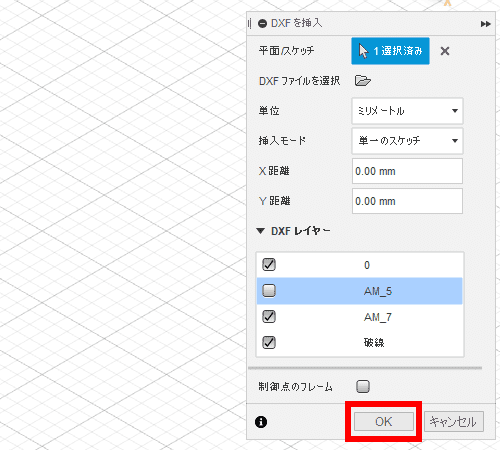
Using the "Insert DXF" tool is the best practice when you want to add 2D linework to an existing 3D model or require strict control over what gets imported.
Layer Control: Selectively import only the layers you need (e.g., skip dimensions or title blocks).
Plane Selection: Accurately map the 2D drawing to a specific X, Y, or Z plane, or directly onto a solid body face.
Sketch Consolidation: Choose whether to merge multiple layers into a single sketch or keep them separated.
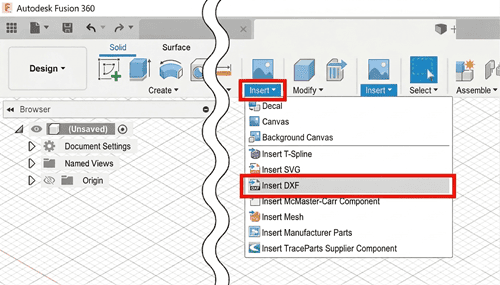
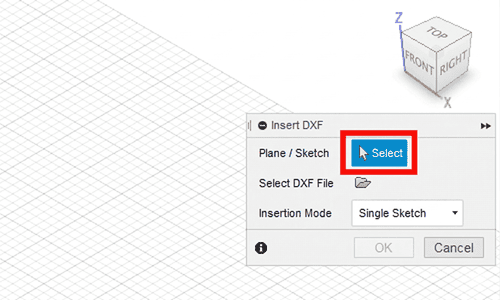
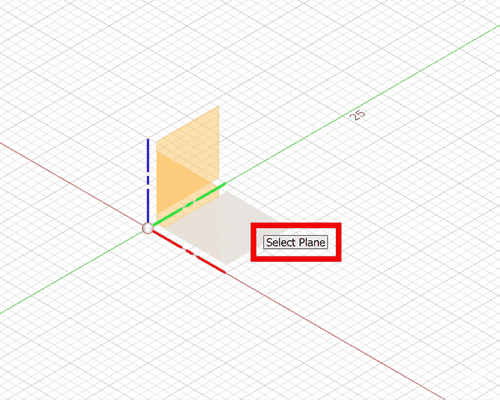
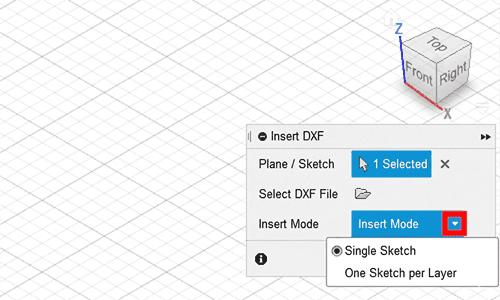
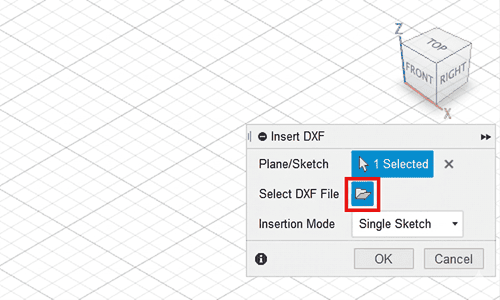
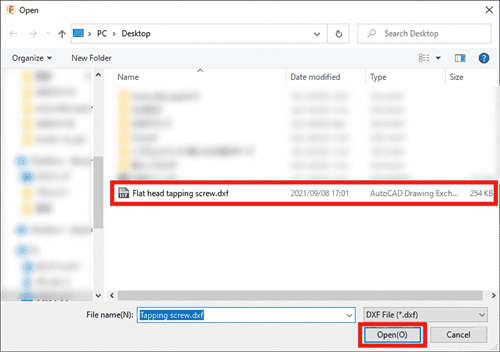
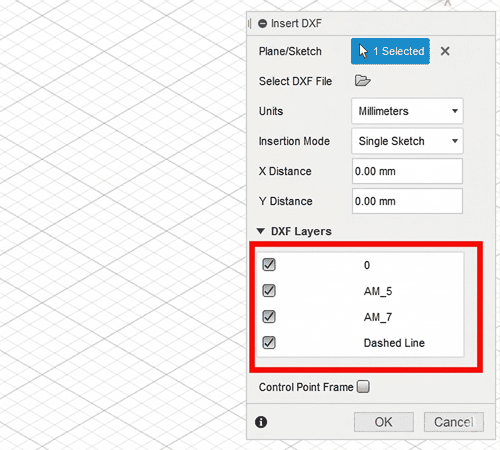
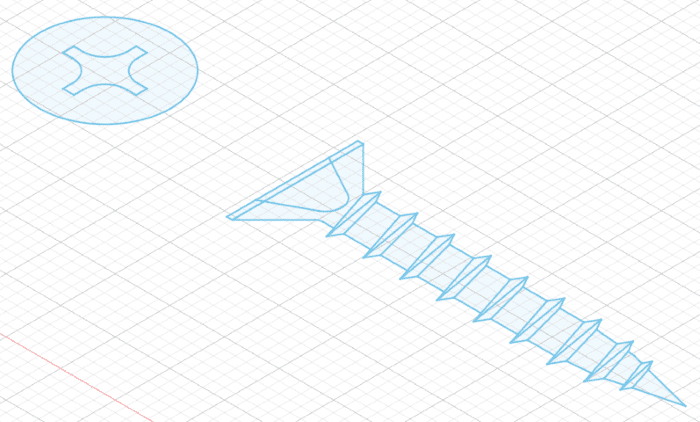
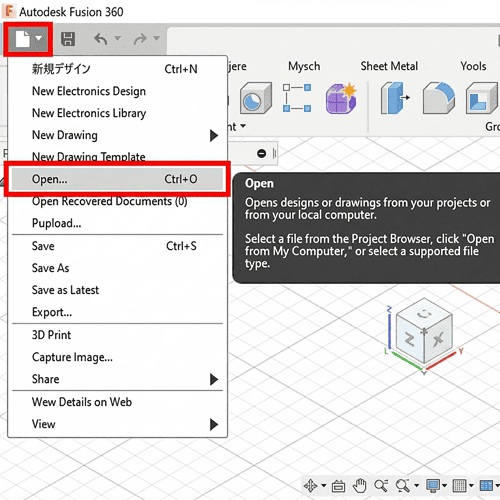
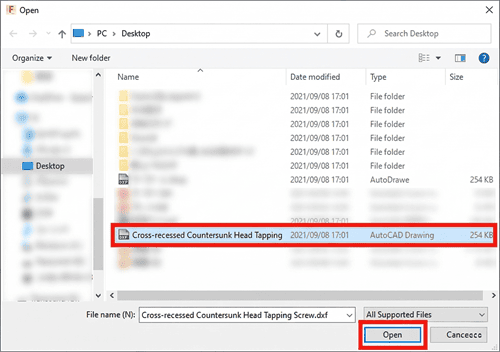
If you simply need to view a DXF file quickly and don't care about layer mapping or integrating it into a current design, you can use the standard "Open" command. This method bypasses the advanced setup dialog.
Even with Fusion 360's excellent import tools, dealing with corrupted DXF files, missing layers, or unit mismatches from legacy 2D software is a massive headache. Furthermore, if a client sends you an IGES or STEP file, but you need to extract a clean 2D DXF/DWG profile first, native CAD software can struggle to convert it cleanly.
DARE is built to eliminate file translation bottlenecks. We provide high-fidelity, secure cloud conversions between 2D and 3D CAD formats, ensuring your layers, geometry, and scaling remain perfectly intact.
Stop wrestling with incompatible CAD files. Simply sign up for a free account and convert your STEP, IGES, PDF, and DWG files instantly so you can get back to designing.



![[Free] Convert raster images to CAD data in just one step.](/en/images/recommendService/dareRaster.png)
![[Free] View DWG, JWW, and 3D drawings easily on your smartphone or tablet! [DARE BOX Mobile recommended]](/en/images/recommendService/dareBoxMobile.jpg)
![Free CAD drawing conversion for everyone! What exactly is DARE? [Supports DWG, JWW, and many other formats]](/en/images/recommendService/dare.jpg)










