Created Date:2026.04.20
Updated Date:2026.04.21
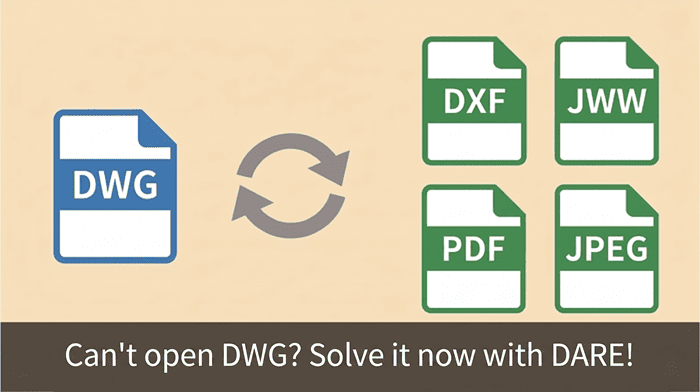
You just received a critical DWG file from a client or contractor, but when you click to open it, you get an error.
You either do not have AutoCAD installed, or your current software simply refuses to read the file.
The fastest solution: You do not need to buy expensive software or download heavy desktop viewers. You can solve this instantly by using a secure, cloud-based conversion tool like DARE to translate the DWG into a format you can actually open (like PDF or an older DXF).
👉 Convert and Open Your DWG File Online Now (Free)
Here is a breakdown of why your DWG file will not open and how to bypass the standard industry roadblocks.

DARE はブラウザだけで DWG・DXF・JWW・PDF などを相互変換・バージョンダウンができる無料サービスです。
ソフトのインストールも、面倒な待ち時間も不要。今すぐ変換して業務を再開しましょう!


DWG is the proprietary, native file format for Autodesk’s AutoCAD.
While it is the global standard for 2D drafting, it is notoriously restrictive.
If your file fails to open, it is likely due to one of these three reasons:
Operating systems like Windows and macOS do not natively support DWG files.
If you do not have AutoCAD, DraftSight, or a compatible 2D CAD program installed, double-clicking the file will just prompt a "Choose an application to open this file" error.
This is the most common issue for engineers who do own CAD software.
Autodesk updates the underlying architecture of the DWG format every few years (e.g., 2013, 2018, and 2024 formats).
If a contractor saves a drawing in AutoCAD 2024, but you are running AutoCAD 2018, your software will throw an "Incompatible Version" error and refuse to open it.
Occasionally, files get corrupted during email transfers or server downloads.
Alternatively, the file extension might have been accidentally changed to a backup format like .bak instead of .dwg.
When faced with a DWG error, many engineers turn to the standard workarounds.
Unfortunately, these methods often waste valuable time.

Instead of fighting your operating system or waiting on a client, use DARE to instantly convert the unreadable DWG into a highly accessible format.

Get back to work in less than a minute:
In modern engineering and manufacturing, speed is your greatest asset. Do not let software limitations or version mismatches dictate your project timeline. Offload technical roadblocks to a dedicated cloud service so you can focus on what actually matters: designing and reviewing the drawings.
Got a DWG file you can't open right now?
▼ Skip the software installation and convert your file instantly.