Created Date:2026.04.21
Updated Date:2026.04.22
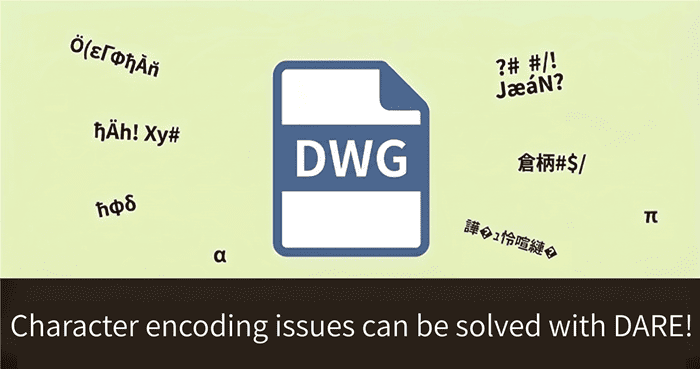
Have you ever received a DWG or DXF file from a client, only to open it and find that all the dimensions, notes, and callouts are replaced by question marks (?) or square boxes (□)?
This issue—commonly referred to as garbled text or missing fonts—is one of the most frequent and frustrating problems in CAD workflows.
If you cannot read the critical dimensions or manufacturing instructions on a drawing, your entire project comes to a halt.
This guide will explain exactly why this happens, why manual fixes are risky, and how you can instantly resolve the issue using an online file converter.
► Want to fix your broken CAD text right now?
Convert Your File Instantly for Free

DARE はブラウザだけで DWG・DXF・JWW・PDF などを相互変換・バージョンダウンができる無料サービスです。
ソフトのインストールも、面倒な待ち時間も不要。今すぐ変換して業務を再開しましょう!

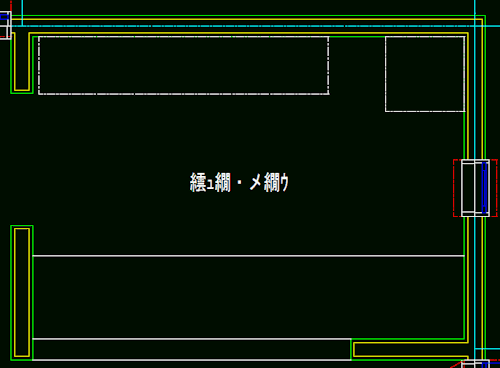
Why does your CAD software fail to read the text correctly?
The problem almost always boils down to a "translation error" when moving data between different CAD programs or different software versions.
Here are the three main culprits:
UTF-8 encoding, but your CAD software is forcing it to read as ANSI or another regional encoding, the text characters will collapse into unreadable symbols..shx files). 
If you search online forums for a solution, you will likely find workarounds suggesting you open the DXF file in a text editor (like Notepad) to manually change the text encoding, or to hunt down and download missing SHX font packages.
In a fast-paced professional environment, these manual methods are highly discouraged for the following reasons:
When business speed is on the line, you need a reliable, automated solution.
You do not need IT expertise, text editors, or font packages to fix garbled CAD drawings.
The smartest way to resolve this issue is by using DARE, a high-precision 2D/3D CAD conversion service.
Instead of fighting the broken file on your desktop, DARE's engine automatically optimizes the DWG/DXF data, resolves the encoding mismatches, and translates the file into a universally readable format so you can open it cleanly.
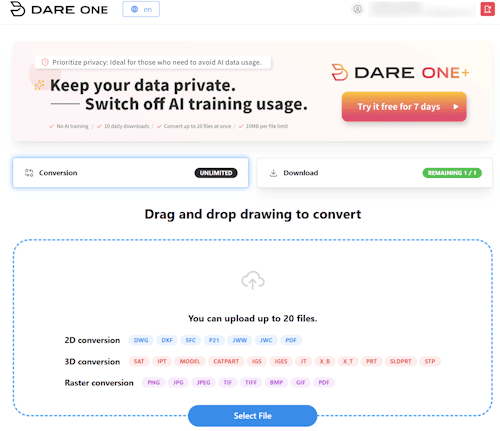
While DARE is free to start, engineers and designers who process dozens of drawings daily will find the paid plan incredibly useful.
DARE ONE+ unlocks batch conversion capabilities and lifts large file size limits, allowing you to sanitize and convert entire project folders all at once.
Trying to manually repair garbled text in a DWG or DXF file is a massive drain on your engineering resources.
Streamline your communication with clients and focus on your actual design work by utilizing a dedicated conversion tool.
If you are staring at unreadable CAD text right now, drop the file into DARE and get a clean, readable drawing in seconds.
► Fix Your Broken CAD Files Now:
Convert for Free with DARE